Hugin does needlepoint
Feb. 8th, 2008 10:44 pm![[personal profile]](https://www.dreamwidth.org/img/silk/identity/user.png) andygates
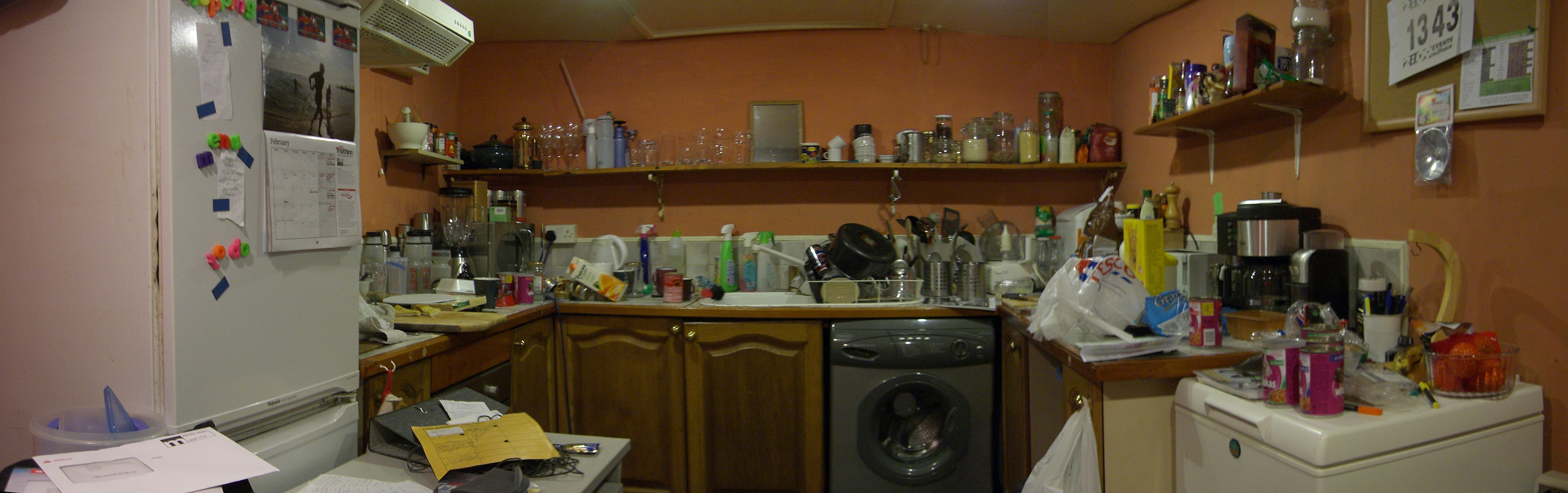
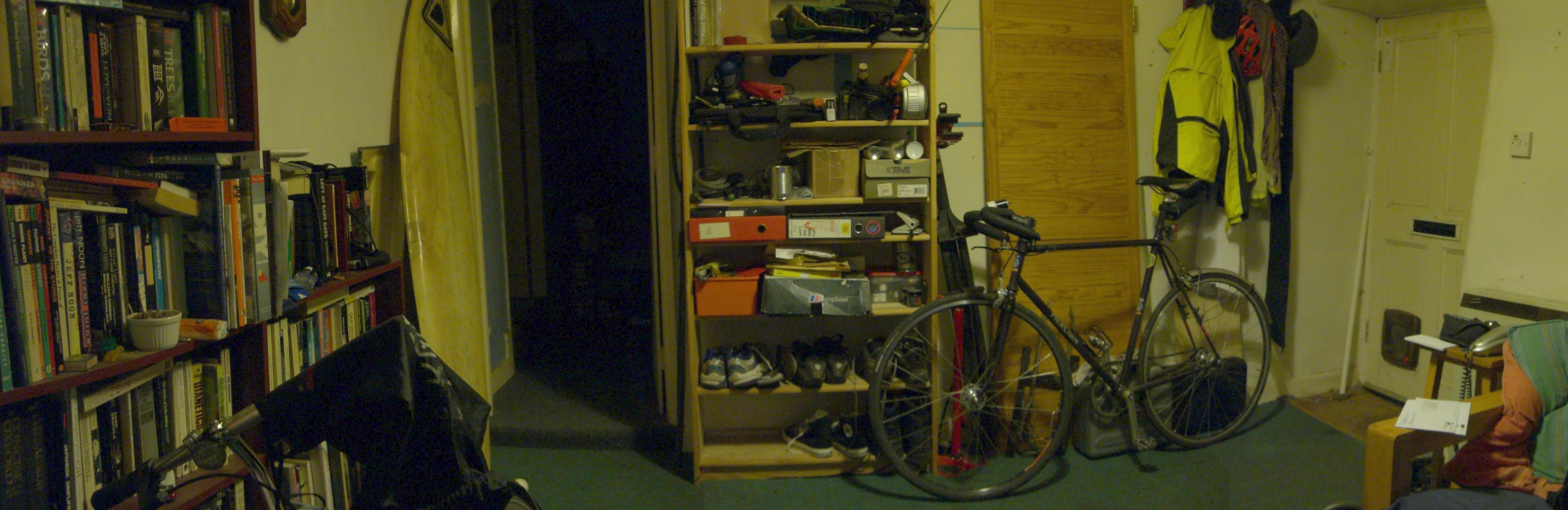
andygatesThese are two panoramic test-pieces made using Hugin. Hugin is a free open-source panoramic photo-stitching program and it's pretty easy and really rather impressive (click for big versions, though Flickr has cropped them down from the ginormous 6000-pixel originals you'll find here and here).
 |  |
Yes, I need to wash up. Tidy up. Decorate...
I've always had a soft spot for clever photos. My first attempt at panoramic stitching was with a little 110 monochrome all the way back in middle school. I stood on Port Meadow (near the bore well by the Wolvercote allotments, if you care) and turned on my heel and even though the exposures didn't really work and the perspective had five vanishing points, I loved it to bits.
What Hugin does is theefold: it identifies common parts of the photos (called control points), it distorts the photos to fit a projection, and it blends the edge colours. When the software fails to find enough control points, you can specify more, and there are tons of other algorithmic tweaks to play with. It doesn't just do rows of photos, either, it'll handle any old combination, so towers, 5x5 mountainscapes or flat, clean mosaics - they're all good.ravenbait, with your eye for landscape this could be very funky.
Not bad for a mythological raven, eh?
Another bit of photo-folderol I want to play with is high dynamic range (HDR). HDR is a sneaky way of compositing images taken at different exposures to give detail in all areas of the image. Intense HDR looks hyperreal, with, say, the filament of a lightbulb showing clearly, along with the street-scene it illuminates, the gravel under the cars, and the stars in the sky. Digital faux HDR is done by manipulating the RAW image - alas, my camera doesn't use RAW files. For some breathtaking shots look in the Flickr HDR pool.
I've always had a soft spot for clever photos. My first attempt at panoramic stitching was with a little 110 monochrome all the way back in middle school. I stood on Port Meadow (near the bore well by the Wolvercote allotments, if you care) and turned on my heel and even though the exposures didn't really work and the perspective had five vanishing points, I loved it to bits.
What Hugin does is theefold: it identifies common parts of the photos (called control points), it distorts the photos to fit a projection, and it blends the edge colours. When the software fails to find enough control points, you can specify more, and there are tons of other algorithmic tweaks to play with. It doesn't just do rows of photos, either, it'll handle any old combination, so towers, 5x5 mountainscapes or flat, clean mosaics - they're all good.
ravenbait, with your eye for landscape this could be very funky. Not bad for a mythological raven, eh?
Another bit of photo-folderol I want to play with is high dynamic range (HDR). HDR is a sneaky way of compositing images taken at different exposures to give detail in all areas of the image. Intense HDR looks hyperreal, with, say, the filament of a lightbulb showing clearly, along with the street-scene it illuminates, the gravel under the cars, and the stars in the sky. Digital faux HDR is done by manipulating the RAW image - alas, my camera doesn't use RAW files. For some breathtaking shots look in the Flickr HDR pool.


![[identity profile]](https://www.dreamwidth.org/img/silk/identity/openid.png)
no subject
Date: 2008-02-09 09:32 am (UTC)no subject
Date: 2008-02-10 09:09 pm (UTC)